Easily Install “Incompatible” Apps on nonRooted Android 14/15 with Shizuku and InstallWithOptions (2025)
There's this infuriating warning on newer versions of Android when you try to sideload many older APKs:
App not installed as app is not compatible with your phone.
This makes it sound like it's some hardware limitation or problem with the architecture of the app. Forum posts online say it might be from being built with a different ARM instruction set to what Android uses now, or that it may be a 32 bit vs. 64 bit problem.
That immediately stuck out to me as probably BS, since new Android software is usually backwards compatible with older 32 bit apps.
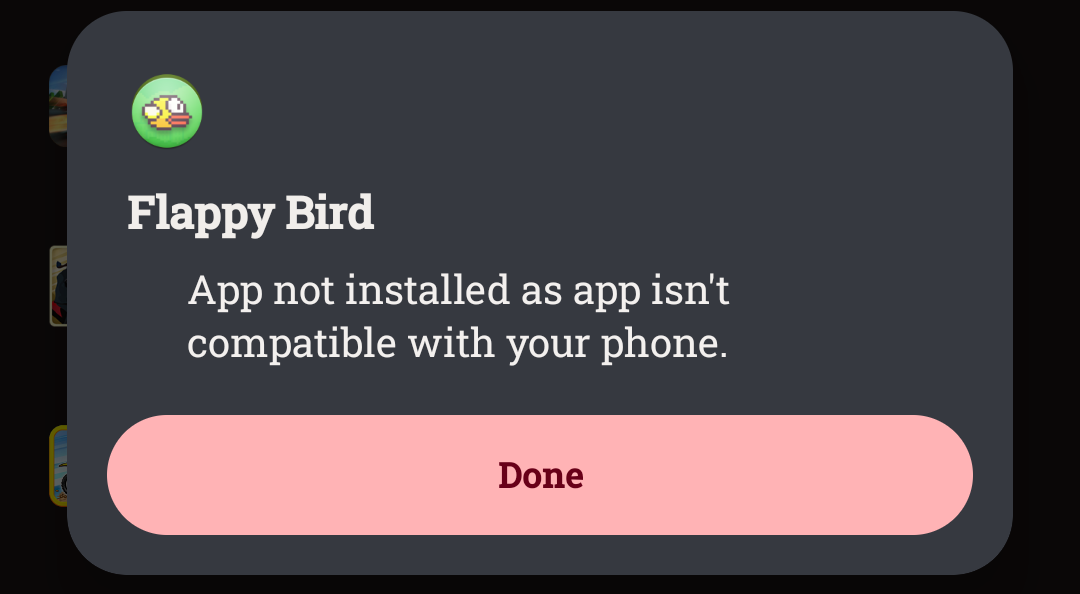
Digging more, I found the solution:
It is just an artificial block by Android disallowing installation of these kinds of apps, known as SDK block. Utterly unnecessary and nannying. Though it makes sense as Google becomes more authoritarian. Google and Android-manufacturers want to sell you locked down devices which run exactly what and how they want, not how you want, and they are slowly boiling the frog to do it.
A helpful stranger made a youtube video and another a reddit post explaining how to fix it, but I'll tutorial it here also since for me it was even easier than they described. The process took about 5 minutes.
Note: You can accomplish this similarly with adb install -r --bypass-low-target-sdk-block, though it requires you using a second device to access adb and can be finnicky I have heard. What I'll show here is done all on the device in a few minutes.
Tutorial
Overview: An app (Shizuku) allows a non-root user to call System APIs directly, which allows for another app (InstallWithOptions) to bypass the SDK block and install the app.
Step 1: Enable developer options
Sometimes different depending on your android flavor/manufacturer, so look up how to do it.
Step 2: Enable wireless debugging.
Search "wireless debugging" on the system settings (should be in the developer menu) and enable it.
Step 3: Install Shizuku and InstallWithOptions.
Find Shizuku here: link. You may need to download from the Github release page or an AltStore (like Aurora) since the most updated version is not on google Play. I am using version 13.6.0
Find InstallWithOptions here: link. I am using version 0.9.0.
Step 4: Connect Wireless Debugging to Shizuku
Follow the instructions for wireless debugging with Shizuku. First go to the pairing option (blue arrow).
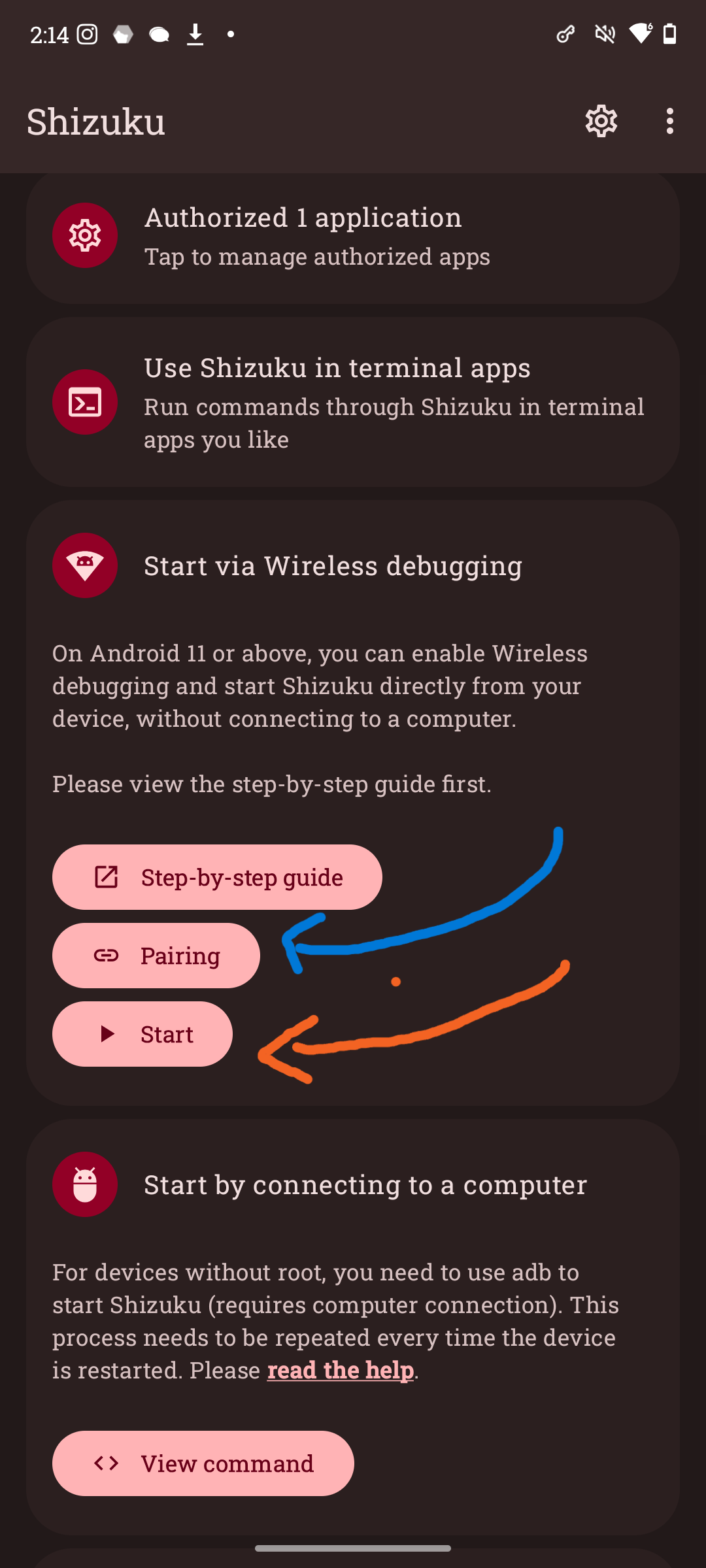
Search for "pairing" in your System settings and find the entry for "Pair new device with pairing code" and tap it. Go back to Shizuku and it should now show as paired. Now click the start option (orange) and you should see Shizuku is connected.
Step 5: Install your APK with InstallWithOptions SDK block
Open InstallWithOptions and go down to "Bypass Low Target SDK block".
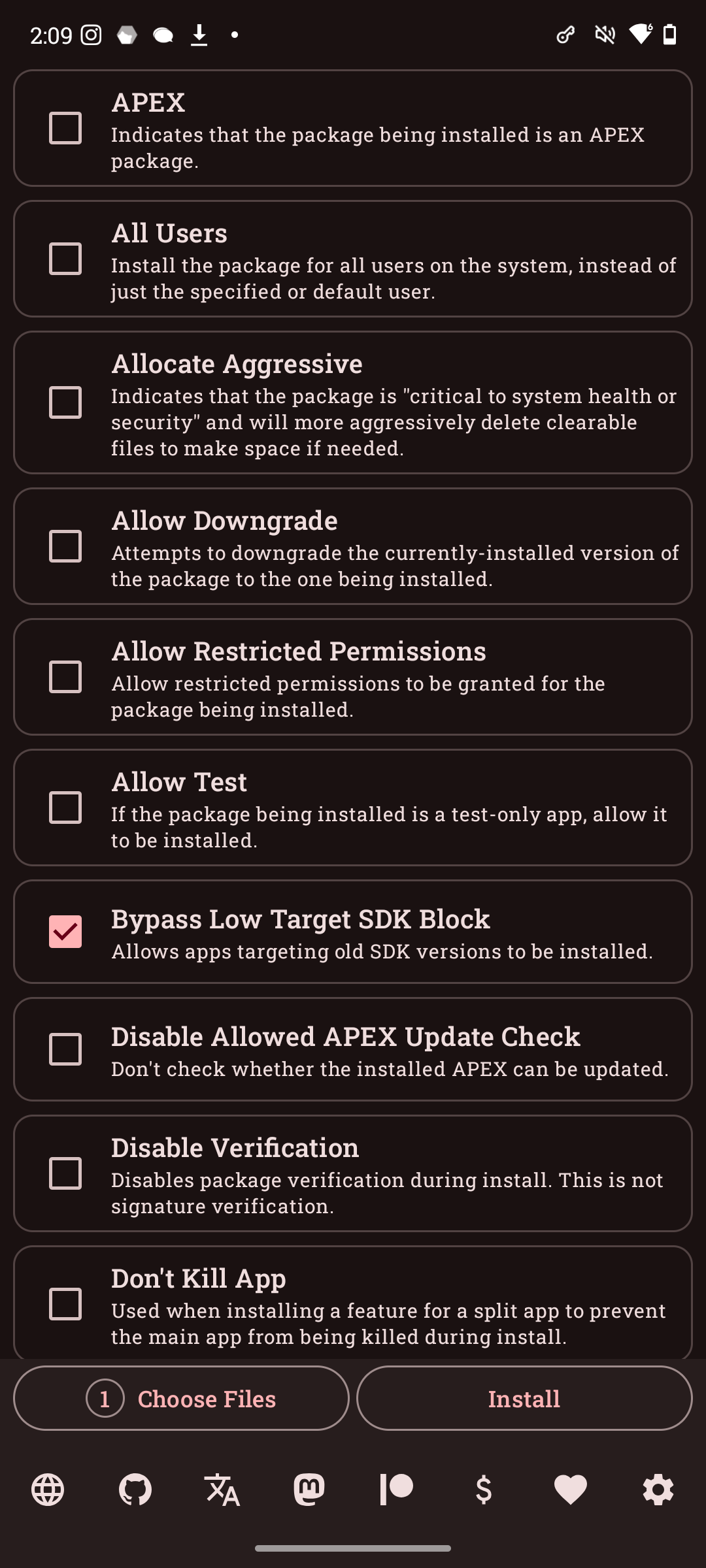
Then use "Choose your files" and "Install" on the bottom to install one or more APKs.
That's it!
There we go! Flappy bird was installed.

As a heads up, on some launchers the newly installed apps will not be automatically added to the home screen, but they are installed. So you just need to manually add them.
And don't forget to turn off your Wireless debugging!
It runs!
Here's JetCarStunts, a game I originally played on iOS in 2009 (!! holy shit!) remade on android in 2014, and delisted from the Play Store many years ago running on Android 15.
As I suspected, indeed turns out there was no compatibility error or fundamental limitation of android. Just Daddy Google telling you that you are not allowed to run the software you like on the devices you own.
Prompt used to style this webpage: "Take the following markdown and convert it to HTML. Margin the text on both sides so there is a nice column down the middle for reading, and use basic CSS and HTML. Display the pictures in readable (not too large) size. Style the webpage as "cyber" with a tacky cyber theme, a cyber background, etc. ake the following html and tweak the section headers labelled "Step ..." to have the same glow and color effect, but be slightly different colors of green, blue, and turqoise. But make the glow slightly less. And instead of rotating the colors, put in colors that step from blue to green across the section headers that i have in equally spaced portions of colorspace. give me an updated css snippet to copy paste which will make the main div of the webpage have an almost-opaque background" - GPT 5, 2025.